Clear the buildup
Clean caches, logs, developer files, and the Trash in one pass. See how much space you get back.
 MrMcLean.
Clear the caches. Find the big files. Keep your folders in order. All in one lightweight Mac app.
Download for MacFree & open source macOS 14+
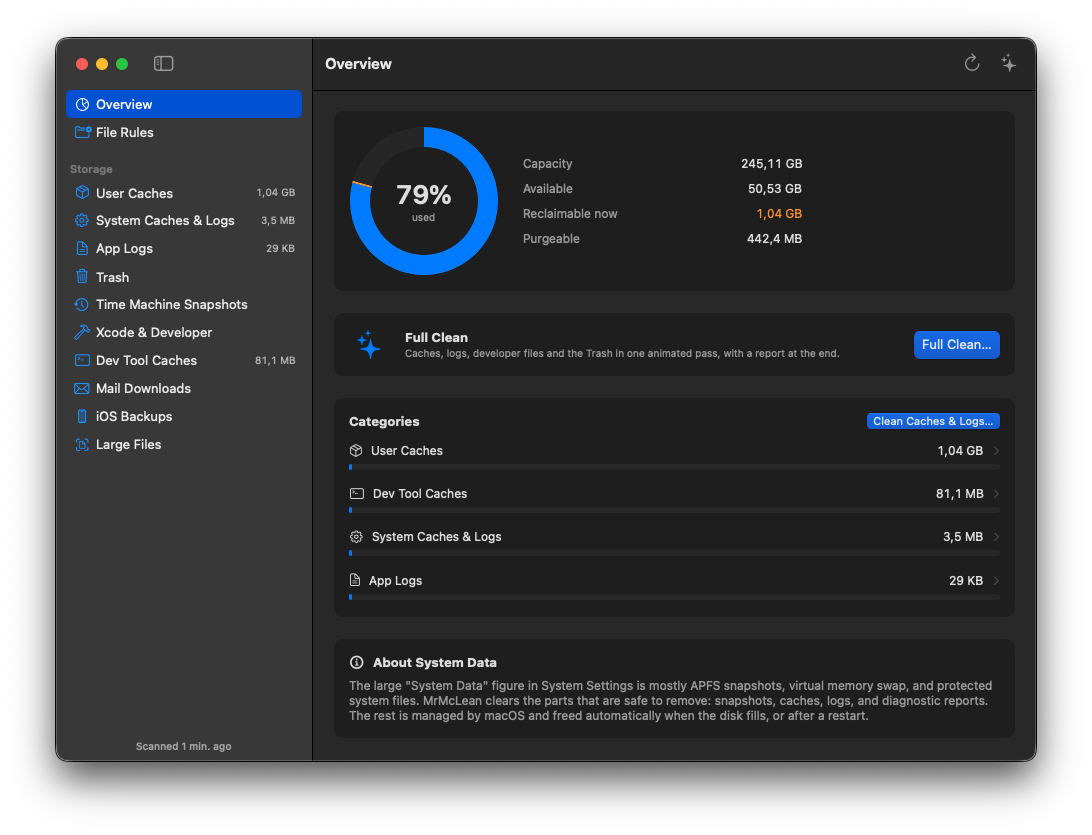
Clean caches, logs, developer files, and the Trash in one pass. See how much space you get back.
Spot files over 1 GB. Filter by name or path, then open their location in Finder.
Set rules to move, tag, rename, or trash files in chosen folders. Preview the changes first.
Get alerts for low storage, oversized categories, or a folder filling up with new files.
See the selected files and cleanup commands before you confirm. You choose what goes.
Clear Xcode build files and supported developer caches. Choose which tools join Full Clean.
Free & open source · macOS 14+
Download the DMG from GitHub Releases. Open it and drag MrMcLean into Applications.
The app is not notarized yet. If macOS blocks it, open System Settings → Privacy & Security and choose Open Anyway. MrMcLean will guide you through Full Disk Access on first launch.
Full installation guide